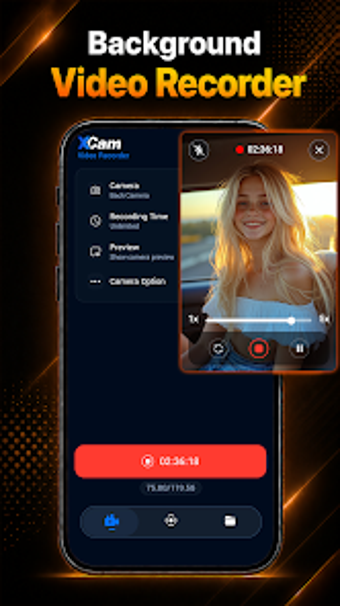
xCam Background Video Recorder for discreet Android screen and camera capture
xCam Background Video Recorder, from AuraX, records discreet video and captures screen activity on Android devices. The app supports background camera capture without a visible preview and full HD screen recording with internal audio and a facecam overlay for tutorials or gameplay. It also includes floating controls, in-app file management, and access protection via passcode or biometric lock. Content creators, mobile gamers, and educators gain a compact tool for private, on-device capture and quick sharing.

Unlock your creativity with Adobe Stock
Get 10 images or 1 video with a free trial
What is xCam used for?
xCam concentrates on two capture modes: background camera recording and screen capture. Background recording continues without a visible preview so you can use other apps or lock the device while filming. The screen recorder captures internal audio and can combine a front-camera picture-in-picture window, which helps when producing reaction videos or step-by-step mobile tutorials.
What video resolutions and output options does it offer?
The app supports multiple output resolutions, including HD 720p, Full HD 1080p, and up to 4K on compatible devices. Silent recording is available through a no-shutter-sound mode. Users manage resulting files in the recorder and can rename, share, or delete clips inside the app’s gallery, so exports and quick transfers are handled on-device rather than in an external editor.
How does the interface and workflow support quick capture?
xCam presents recording controls that appear as a floating button or in the notification panel, enabling rapid start/stop without opening the full app. The built-in recording manager groups files for immediate review and sharing. The app is described as a lightweight, easy-to-use alternative to more complex recording suites, which reduces setup time for creators who prioritize capture over extensive post-production.
Is xCam better for beginners or professionals?
xCam suits creators who need fast, on-device capture: mobile gamers, educators, and casual content producers find value in its combined background and screen recording feature set. Compared with complex desktop suites, it focuses on capture and basic file handling rather than deep editing workflows, so professionals requiring advanced post-production controls may prefer dedicated studio tools for finishing and mixing.
In conclusion, xCam is a pragmatic capture tool for creators
In conclusion, xCam is a pragmatic option for Android users who need discreet or dual-mode screen and camera capture with straightforward file handling. It excels for rapid, on-device recording and quick sharing. Note that the app’s maximum resolution and recording behaviour depend on individual device hardware, so 4K capture is available only where the device supports it.